 jamming zone
false GPS
Neiv
jamming zone
false GPS
Neiv
Offline navigation for iPhone · maps of UkraineAndroid: beta sign-up · maps of Ukraine
When GPS goes dark, Neiv keeps going
Neiv estimates where you are from your phone’s sensors. An adapter in the car’s OBD port is optional and makes it more accurate.
- GPS navigation is free
- No account
About 2,000 downloads since 1 October · iOS 16+
- No Android app yet
- Requests are free, no commitment
-
GPS locked
First, ordinary GPS navigation
The blue dot is where the satellites put you. The downloaded map lives on your phone, so it needs no internet.
-
Jamming
GPS lies. Or goes silent.
Under jamming or spoofing, the GPS dot jumps to another street or disappears. Ordinary navigation is easily thrown off here.
Neiv doesn’t always detect spoofing, and in “Phone only” mode it can’t at all.
-
Reckoning
Neiv keeps your dot moving
It counts the distance travelled and every turn, and keeps the dot on the roads of the offline map. The ring is the possible error: metres at first, tens of metres or more during a long outage.
- Phone sensors
- Map roads
- Car speed (with an adapter)
-
GPS search
The signal is back
Neiv checks whether GPS can be trusted again, then switches back to it. The dot may jump — that’s the correction.
That check can be wrong. This is a diagram, not a recording of a real drive.
Try it without a car or adapter
The app includes a demo drive — a recorded trip that shows GPS drifting off the road and Neiv keeping the dot. On the first screen, tap “See how it works”. It doesn’t use any minutes.
There’s no Android app yet. The demo drive is in the iPhone version: on its first screen, tap “See how it works”.
Do I need an adapter?
Not to get started. An adapter makes navigation without GPS more accurate.
“Phone only”
The phone itself keeps your dot moving without GPS — approximately.
- 20–30mincalibration with accurate GPS
With an OBD adapter
Your phone gets the car’s real speed.
- ≈1,500UAHa good adapter, one‑off
ImportantAn OBD-II port alone doesn’t guarantee compatibility. Before buying an adapter, look for your car in the app.
More about both modes
“Phone only”. Accuracy is lower than with an adapter, and this mode can’t detect GPS spoofing. It needs an internet check at least once every 7 days. Its terms may change — we’ll tell you in the app.
With an adapter. An adapter in the car’s diagnostic port gives your phone the car’s speed: navigation without GPS gets more accurate, and Neiv also checks whether GPS can be trusted (that check can be wrong too). Not every car reports its speed through an adapter. Where to look for yours: Settings → “Car & adapter”; if it isn’t listed, tap “Send a request”. Subscribe once your car has worked on the free minutes.
What it costs
The download is free. For now, you only pay for adapter-based navigation without GPS — and not straight away.
Free: offline map, GPS navigation and routes, address search, trip history, demo drive.
“Phone only” — free during launch, uses no minutes. These terms may change — we’ll let you know in the app.
Adapter mode
- 90minfree to start
- 20minfree every week
Minutes count only while Neiv keeps your dot moving without GPS. After that, it’s the “Neiv DR Protection” subscription; the App Store shows the price.
ImportantWhen the minutes run out, adapter mode can switch off even mid-drive. GPS navigation keeps working.
How minutes are counted
Free minutes aren’t a trial subscription. They count only while Neiv keeps your dot moving without GPS using the adapter — not while the app is simply open. The 90 starter minutes are a one-off, after you allow Apple’s device check, and are valid for 7 days from the first minute used. The 20 weekly minutes don’t roll over. The balance is shown in the app. The “Neiv DR Protection” subscription (DR means navigating without GPS) is monthly or yearly; the App Store shows the price and terms before you buy.
About paymentFree minutes never turn paid on their own: you pay only after confirming in the App Store. The subscription renews automatically; you can turn off auto-renewal any time in your iPhone settings. Terms, section 8.
New in version 1.0.1 · 20 October
Useful without jamming, too
Routes across regions
- up to3regions in one route
- up to3route options to choose from
Once the maps of every region along the way are downloaded. Via-stops go in the “Route” sheet.
Address search with house numbers
Works offline in the regions you’ve downloaded. House numbers now show on the map too.
Speed cameras and theme choice
Speed cameras across Ukraine, an “Auto / Day / Night” theme and a clearer map.
Cameras come from open data: some may not be shown and a limit may differ from the sign. The road signs are what count.
Double-tap to put your dot in place
When stopped, double-tap the road — your dot moves there; the arrows set the heading.
On a route under jamming, Neiv also refines the position by itself. It’s an estimate and can be wrong.
Connecting an adapter — 3 steps while parked
- ≈5minsetup, while parked
-
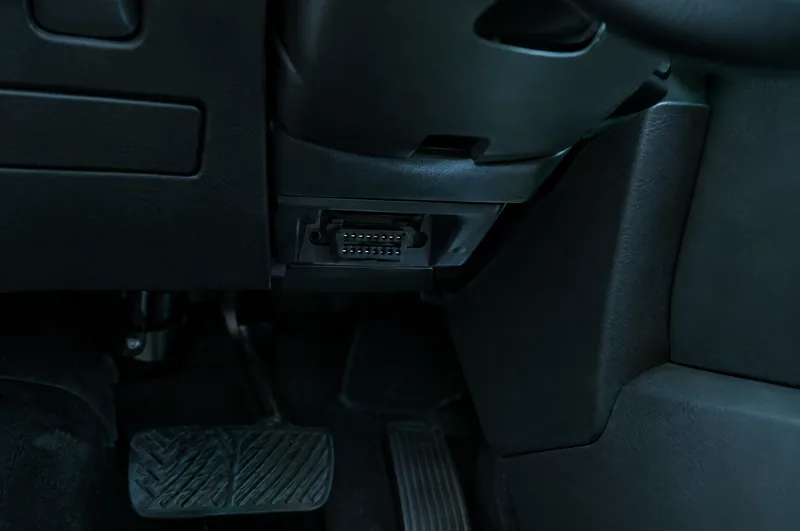
1Find the port
A trapezoid 16-pin socket, usually under the steering wheel.
-
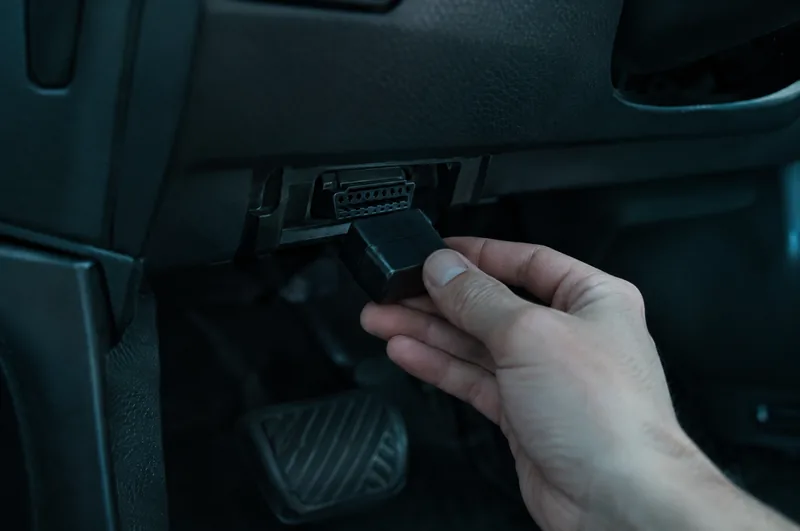
2Plug in the adapter
All the way in, then switch the ignition on.
-
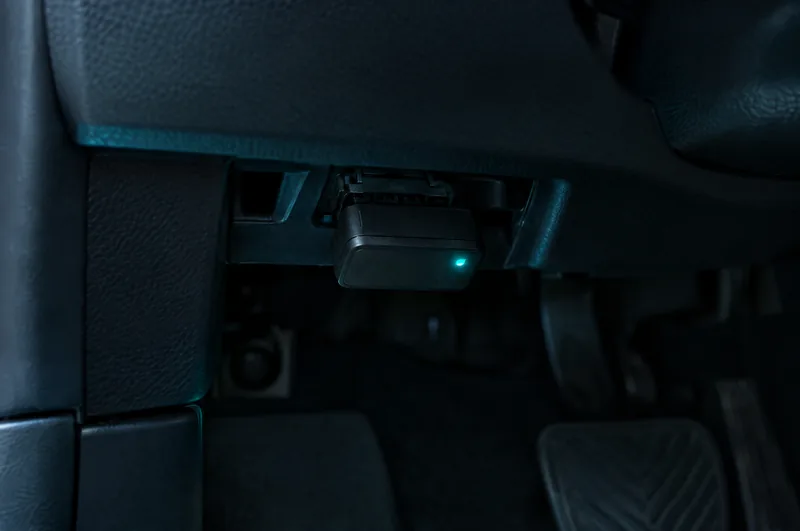
3Pick the adapter and your car
Settings → “Car & adapter” → “Connect”.
The photos are illustrations: the port in your car may be somewhere else.
TipDidn’t work first time? Tap “Check the connection”. Adapter not showing up? Unplug it, plug it back in and close other OBD apps.
CautionDon’t touch the screen while driving. If the car behaves unusually, stop safely and unplug the adapter.
More about the steps and safety
Can’t find the port? Check your car’s manual. The ignition matters: while it’s off, the car’s control units are asleep and the adapter gets no data. You can also pick the adapter and car in the setup step when you first open the app.
An adapter is a third-party device: follow the car and adapter makers’ instructions — it can affect the car’s battery or electronics.
Calibration — for better accuracy without GPS
With an adapter there’s nothing special to do: drive as usual where GPS is accurate and Neiv tunes itself to your car.
- 20–30min“Phone only”: driving with accurate GPS
More about calibration
Calibration is saved per car-and-adapter pair; you’ll see the status in the app. Without it Neiv still works with an adapter, but without GPS the error will be larger.
Which adapter to buy
iPhone only works with Bluetooth LE or Wi‑Fi adapters compatible with ELM327 — product listings usually say so.
- Tested by usVgate vLinker BM+ (Bluetooth LE)We did our road tests with it. That’s our experience, not a guarantee for every car.
- Should workOBDLink CX, vLinker MC+ / FD+Quality Bluetooth LE adapters; we haven’t road-tested them yet. The maker says OBDLink CX doesn’t suit GM, Ford and some FCA cars before 2008.
CautionAvoid Bluetooth without “LE”, and cheap clones. Without “LE”, iPhone won’t see the adapter, and ELM327 “v1.5 / v2.1” clones send data rarely and can interfere with the car’s electronics.
Full adapter guide (in Ukrainian)What the box should say (UK)
Android: closed beta
There’s no Android app yet. Leave a request and we’ll email you when testing starts and you’ve been added.
- Requestyour Play Store email and a few words about your phone
- Emailconfirm your address
- Starta Google Play link when the beta begins
Questions and answers
Will it work with my car?
Adapter mode needs an OBD-II diagnostic port, but the port alone doesn’t guarantee compatibility. How much data Neiv can read depends on the make and year. Before buying an adapter, look for your car in the app (Settings → “Car & adapter”); before subscribing, try it on the free minutes. If your car isn’t listed, won’t connect or shows the wrong speed, tap “Send a request”. We can’t promise to add every car, but we’ll review your request and may let you know the result in the app.
How much does it cost?
GPS navigation is free. “Phone only” is free during launch. Adapter-based navigation without GPS runs on free minutes or the “Neiv DR Protection” subscription. The App Store shows plans, prices and terms before you confirm a purchase; more in the Terms of Use.
Do I need an adapter?
Not to get started. Without an adapter, Neiv is an offline GPS navigator, and “Phone only” mode keeps your dot moving without GPS from the phone’s sensors — approximately, after 20–30 minutes of calibration. For better accuracy, use an OBD adapter with Bluetooth LE or Wi-Fi: which one to choose (in Ukrainian).
I’m not jammed — why would I need Neiv?
It’s an ordinary offline navigator without jamming, too: a map on your phone, routes across regions, address search with house numbers and speed camera alerts. Navigation without GPS only kicks in when GPS disappears or can’t be trusted.
Is there voice guidance?
Not in this version: the route and turns are shown on screen. Don’t get distracted by it while driving — stop safely first if you need to change something.
How accurate is it?
It’s an estimate, not a measurement. Without GPS the error builds up: metres at first, then tens of metres or more during a long outage. It depends on the car, adapter, phone and road; after calibration it’s more accurate. Neiv can get the road or direction wrong, and GPS spoofing detection can miss some cases. Neiv doesn’t replace your attention.
Do I need internet?
Not for navigating in a downloaded region. You need internet to download maps and updates, make a purchase and periodically confirm access to navigation without GPS (for “Phone only”, at least once every 7 days). So connect before you set off.
What about privacy?
There’s no account. You choose whether to send us statistics without your route, and saying no turns nothing off — the navigator works fully. Routes don’t leave your phone unless you separately allow it. Details are in the Privacy Policy.
Does it drain the car battery?
It can, if the adapter doesn’t go to sleep. An adapter that never sleeps can drain the battery within days or weeks of parking. Unplug it when you leave the car overnight or longer, unless the adapter’s maker expressly guarantees that it sleeps, and follow the car and adapter makers’ instructions.
Didn’t find your answer? Email support@neiv.app.
Install Neiv before you need it
The maps work offline, but do this before you set off, while you still have a connection.
- Download your region’s mapon Wi‑Fi: a package can be up to ≈200 MB
- Drive with accurate GPSso Neiv can calibrate (“Phone only” takes 20–30 min)
- Go online before you leaveaccess to navigation without GPS is confirmed online